The iLogic tab lets you run your own external iLogic rules at chosen points during ADC’s drawing-creation process. This adds your custom automation on top of what ADC already does, without replacing Inventor’s own iLogic event triggers.
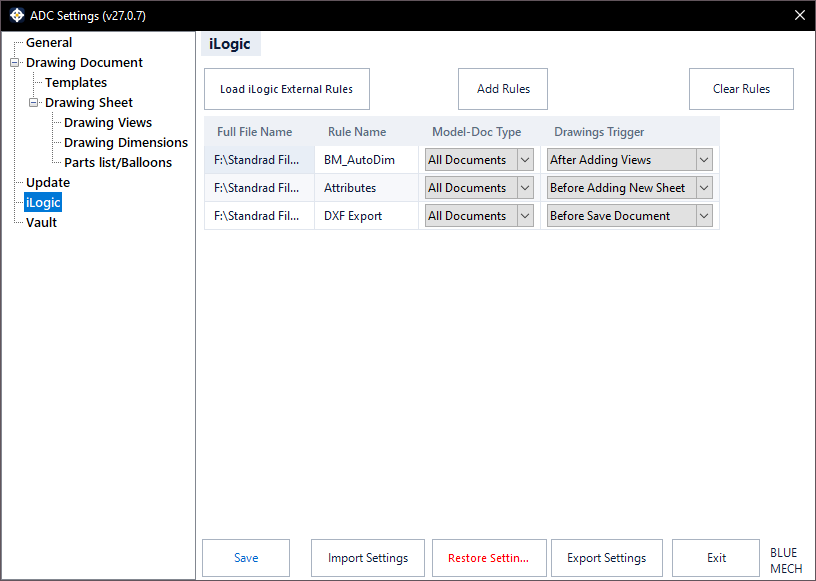
Load iLogic External Rules
Lists the external iLogic rules available to ADC so you can pick the ones you want to use.
Add Rules
Adds a rule to ADC’s run list.
Clear Rules
Removes all rules from the run list.
The rules grid
Each rule you add appears as a row in the grid with the following columns:
- Full File Name — the rule’s file location.
- Rule Name — the name of the iLogic rule.
- Model-Doc Type — which model types the rule applies to: All Documents, Assembly, Part, Sheet Metal, or Standard Part.
- Trigger — when in the ADC process the rule runs: No Action, New Document, After Open Document, Before Adding New Sheet, After Adding Views, or Before Save Document.
These triggers run only within the ADC process; they do not replace Inventor’s own iLogic event triggers.