In an assembly, Model Assistant adds a BOM menu right after the Bill of Materials command, on both the Assemble and the Manage tab. It holds two commands.
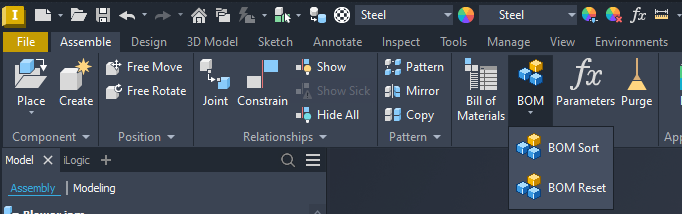
BOM Sort
BOM Sort sorts the bill of materials of the active assembly by your saved sort setup and renumbers it. Every enabled BOM view is sorted; if none is enabled, the Structured view is switched on and sorted.
- It is the same sort as ADC and Drawing Assistant, using the same saved sort setup, so an assembly sorts the same way in all three.
- A bill of materials cannot be reordered while its window is open. If the Bill of Materials window is open, Model Assistant asks you to close it and press the button again.
- After a successful sort, the Bill of Materials window opens so you can check the result.
- The whole sort is one undo step.
The sort setup itself — which property to sort by, and in which direction — is edited under Settings › BOM Sort… on the Model Assistant panel. It is shared with Drawing Assistant, so a change made in either module applies to both.
BOM Reset
BOM Reset rebuilds the bill of materials from the component tree. Use it when the bill of materials shows outdated data. Nothing is sorted or renumbered. If the assembly uses only the model view of the bill of materials, there is nothing to reset and Model Assistant says so.