Watch: full Axion walkthrough
This video covers everything in one place — installing your add-ins, activating your licence, and using Axion day to day.
The Axion Dashboard is the control panel for your BLUE MECH add-ins inside Autodesk® Inventor®. From one window you can activate and manage your licence, install or remove add-ins, choose the interface language, and get help.
Opening the Dashboard
From Inventor’s Home screen (with no document open), click the BM tab, then click the Dashboard button.
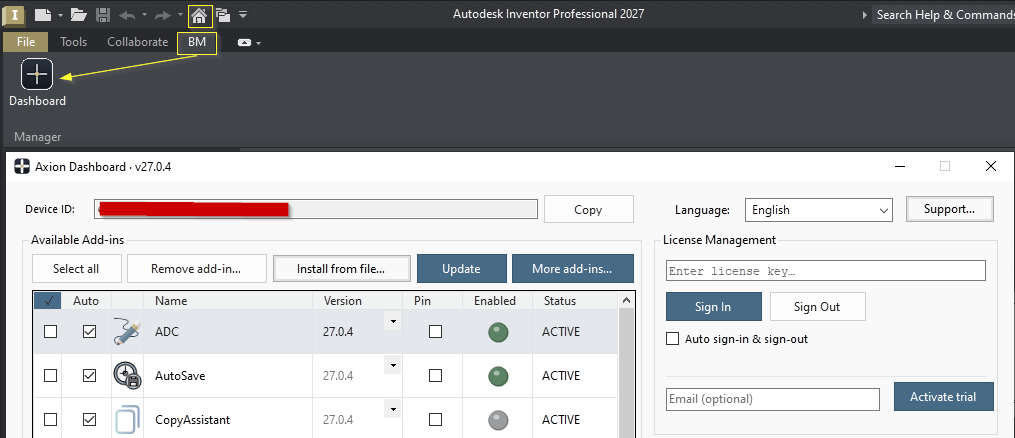
What’s inside
- License Management — sign in with your licence key, start a free trial, and see your Device ID.
- Available Add-ins — install, update, or remove your add-ins and read what each one does.
- Offline License — activate on a computer without internet access.
- Language & support — set the interface language and send logs if you need help.
Each area is covered in its own guide in this section.